

Description
Shop Explorer is a free WooCommerce plugin that lets you run your entire store from one fast, modern screen. Products, orders, customers, and live sales analytics all live together in a single place, so you can manage everything without jumping between tools.
Most WooCommerce setups feel scattered. You use one plugin for bulk editing, another for analytics, and something else for customer data, all inside a slow and clunky interface. Shop Explorer changes that. Open one dashboard and your entire store is right in front of you. Update products, handle orders, explore your customer base, and bulk edit thousands of items with ease. At the same time, you can see your revenue update live as your store grows.
It is designed to feel like the WooCommerce admin experience you always wanted. Clean, fast, and built for store owners who care about efficiency. Spend less time clicking around and more time actually growing your business.
The Only WooCommerce Plugin That Manages Products, Orders, Customers AND Revenue – All From One Screen
Why Store Owners Choose Shop Explorer
- Single-Screen Store Management – products, orders, customers, and revenue analytics together in one clean dashboard, no switching between tools or screens
- Bulk Edit WooCommerce Products – update prices, stock, categories, and status across thousands of products simultaneously
- Real-Time Revenue Analytics – see revenue, average order value, and order trends update the moment a sale comes in
- Bulk Order Management – update statuses, export to CSV, and process hundreds of orders in seconds
- Full Customer Management – browse, filter by lifetime value, track purchase history, and export your entire customer base
- Safety-First Bulk Operations – intelligent threshold warnings and a validation engine prevent accidental mass changes
- Zero Coding Required – a modern, friendly interface built for store owners, not just developers
One Screen. Everything. No Switching.
This is what makes Shop Explorer different from every other free WooCommerce management plugin.
Open Shop Explorer and you see your entire store at a glance. Switch instantly between managing products in bulk, processing orders, viewing customer data, and reading your live revenue charts – without navigating away, without loading new pages, without losing your place.
Competing plugins force you to go to Products for bulk editing, then WooCommerce Analytics for revenue, then Customers for buyer data. Shop Explorer puts them all together in a single fast dashboard with a consistent, easy-to-use interface.
Bulk Edit WooCommerce Products
Replace WooCommerce’s limited built-in bulk editor with a fast, full-featured product editing engine:
- Bulk price updates – change regular price, sale price, or apply percentage increases/decreases across thousands of products at once
- Bulk stock management – set quantities, fix stock status, and resolve low-stock issues across your entire catalog in bulk
- Bulk category and tag assignment – reorganize your entire product catalog without opening a single product individually
- Bulk status changes – publish, draft, or privatize multiple products simultaneously
- Bulk featured status toggle – promote or remove featured products in seconds
- Variation bulk editing – update variation-specific pricing, stock, and attributes at scale
- Batch processing engine – configurable batch sizes (default 5,000 products) with memory-efficient processing
- Threshold safety system – set maximum limits per operation; Shop Explorer warns before any large-scale change executes
- Real-time progress tracking – live progress bar with success/failure counts, detailed operation logs, and cancel capability
Advanced Product Filtering:
- Filter by product type: Simple, Variable, Grouped, External
- Price range filters (min/max)
- Stock quantity filters with integrated low-stock alerts
- Category, tag, and attribute filtering
- Featured products and on-sale product filters
- Search by product name, SKU, or description
- Sort by: Date Created, Name, Price, Stock Quantity, SKU – ascending or descending
Manage WooCommerce Orders in Bulk
Handle your entire order workflow without clicking through individual order screens:
- Bulk order status updates – move hundreds of orders from Processing to Completed in one action
- Bulk order export to CSV/Excel with custom field selection
- Bulk customer notifications sent to multiple recipients at once
- Real-time progress tracking for every bulk order operation
- Complete order detail panel – customer info, payment, shipping, notes, and refund processing in one place
- Inline order notes – add, edit, and delete notes without leaving the order list
- Advanced order search by customer name, email, product name, or order ID
- Date range presets: Last 7 / 30 / 60 / 90 days, or any custom date range
- Filter by order status, price range, item count, and customer
- Sort by: Date, Total, Item Count, Customer – ascending or descending
Real-Time WooCommerce Analytics Dashboard
The feature no other free bulk edit plugin offers. See the business impact of your changes the moment they happen.
After bulk editing prices or processing a batch of orders, your revenue charts update live. You don’t have to leave the page, switch to a separate analytics plugin, or wait for reports to refresh:
- Interactive revenue charts powered by Recharts, rendered live in your browser
- Daily, weekly, and monthly revenue breakdowns – know exactly when you earn the most
- Average Order Value (AOV) tracking – the metric that separates growing stores from stagnant ones
- Top-performing products ranked by revenue and by units sold
- Growth indicators – percentage change vs. the previous period for every key metric
- Order trend visualization – spot seasonal peaks and plan promotions before they arrive
- Custom date filtering – Today, Yesterday, Last 7/15/30 days, or any custom range
- Export analytics data to CSV for team sharing or external reporting
Live Dashboard Metrics:
- Total Revenue with period-over-period growth percentage
- Total Orders with full status breakdown (Pending / Processing / Completed)
- Average Order Value with previous-period comparison
- Product catalog health and live inventory statistics
- Daily / weekly / monthly sales averages
- Top products by revenue and units sold
- Low stock alerts integrated directly into the dashboard
WooCommerce Customer Management
A complete customer hub inside your WordPress admin – right next to your product and order management:
- Full customer database with advanced search and filtering
- Complete purchase history and order tracking per customer
- Customer Lifetime Value (CLV) calculation for every account
- Registration date and last-order date tracking
- Bulk customer export to CSV
- Customer segmentation tools and analytics
Smart Bulk Operations – Safety First
Speed without safety is dangerous. Every bulk operation in Shop Explorer includes:
Threshold System – configure maximum records per operation; confirmation dialogs appear before any critical change is written to your database.
Progress Tracking – live progress bars, success/failure counts, detailed operation logs, and the ability to cancel any running operation mid-way.
Batch Processing – handles tens of thousands of records efficiently with configurable batch sizes, optimized database queries, server load management, and memory-efficient execution.
Flexible Configuration
- Bulk edit settings – batch sizes, threshold limits, optimize mode for very large catalogs
- Analytics settings – toggle dashboard on/off, configure default date ranges
- Export settings – choose fields and data to include in every CSV export
- Notification settings – email alerts for completed bulk operations, errors, and sync events
Perfect For
- WooCommerce store owners managing catalogs of 100 to 100,000+ products who need everything in one place
- E-commerce managers who switch between multiple plugins just to do their daily tasks
- Digital agencies managing WooCommerce stores for multiple clients who need a faster admin interface
- Developers who want a clean, modern admin to hand off to their clients
- Any store owner frustrated with the slow, fragmented default WooCommerce admin experience
Compatibility
- All WooCommerce product types: Simple, Variable, Grouped, External/Affiliate
- All standard and custom WooCommerce order statuses
- WordPress Multisite compatible
- Built following WordPress coding standards and WooCommerce best practices
- Zero frontend footprint – no impact on your site speed or customer experience
Connect & Support
- Facebook: facebook.com/wpazleens
- YouTube Tutorials: youtube.com/@wpazleen
- X / Twitter: x.com/wpazleen
- Love Shop Explorer? Leave a Review
Screenshots

Analytics Dashboard – real-time revenue charts, order metrics, AOV tracking, and top-product analysis all on one screen 
Order Management – fast order list with bulk status updates, advanced filtering, and CSV export 
Product Bulk Edit – bulk edit thousands of WooCommerce products with threshold controls and live progress tracking 
Customer Management – full customer database with lifetime value calculations and complete purchase history 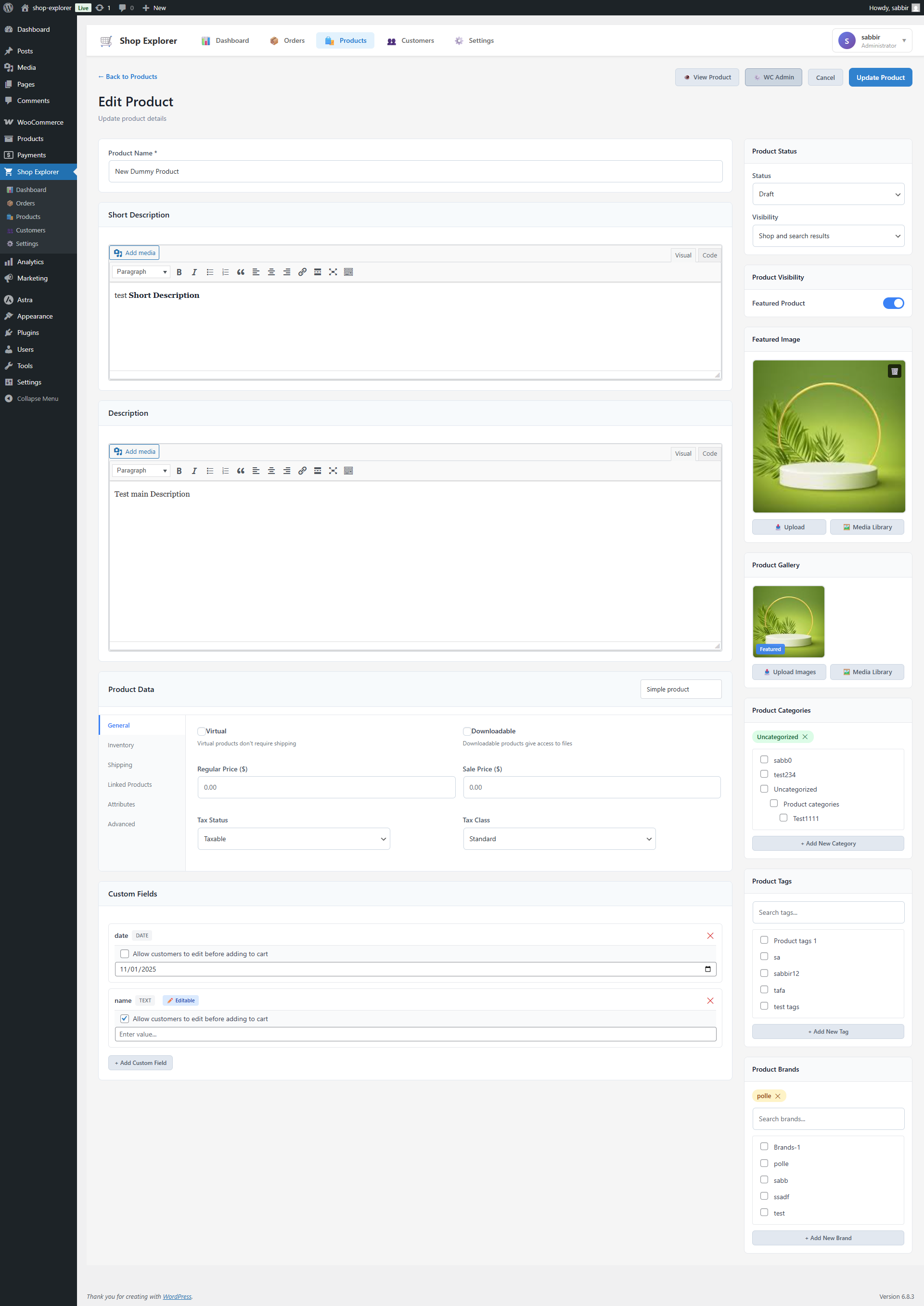
Revenue Analytics Charts – interactive Recharts visualizations for daily revenue, orders, and average order value 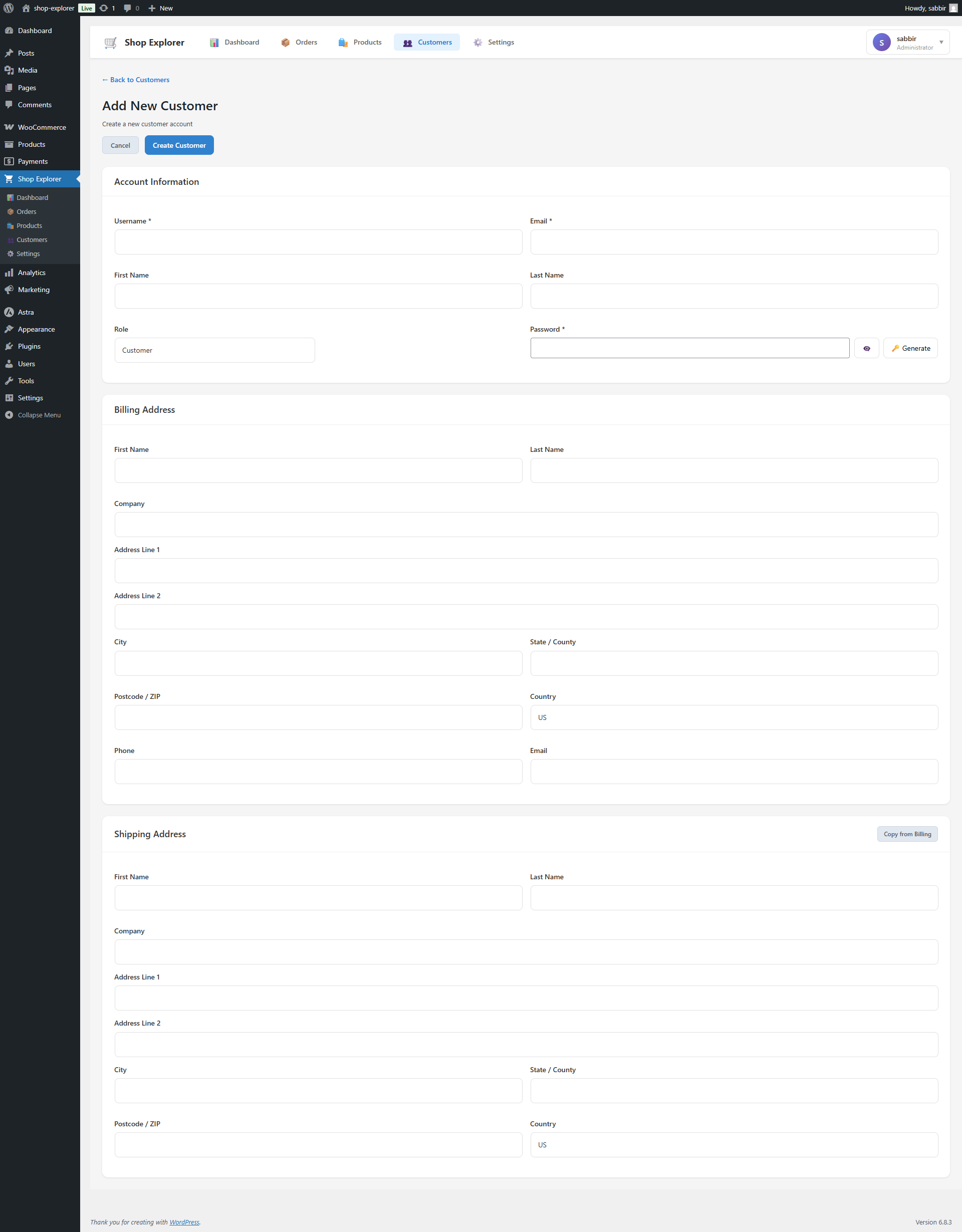
Bulk Operations Panel – safe bulk editing interface with real-time progress bars and detailed operation logs 
Mobile Responsive Design – fully optimized interface for managing your store from tablets and mobile devices 
Settings and Configuration – flexible options for batch sizes, thresholds, export formats, and notifications
Installation
Automatic Installation (Recommended)
- Go to Plugins Add New in your WordPress dashboard
- Search for “Shop Explorer”
- Click Install Now, then Activate
Manual Installation
- Download the plugin .zip file from WordPress.org
- Go to Plugins Add New Upload Plugin
- Upload the .zip file and click Install Now
- Click Activate Plugin
Requirements
- WordPress 6.7 or higher
- WooCommerce 7.0 or higher (must be installed and active)
- PHP 7.4 or higher (PHP 8.x recommended for best performance)
Initial Setup
- After activation, click Shop Explorer in your WordPress admin sidebar
- Your live analytics dashboard loads automatically with your WooCommerce data
- Use the top navigation to switch between Dashboard, Products, Orders, and Customers
- Visit Settings to configure batch sizes, thresholds, and notification preferences
FAQ
-
How is Shop Explorer different from other WooCommerce bulk edit plugins?
-
Shop Explorer is the only free WooCommerce plugin that combines bulk editing, order management, customer management, and a real-time analytics dashboard in a single screen. Every other bulk edit plugin — BEAR, PW Bulk Edit, WP Sheet Editor, Bulky — does bulk editing only. Shop Explorer does all four things together. You manage products, process orders, check customer lifetime value, and see live revenue charts without ever leaving the plugin or switching tools.
-
Is Shop Explorer compatible with my WooCommerce setup?
-
Yes. Shop Explorer works with any standard WooCommerce installation and supports all product types including Simple, Variable, Grouped, and External. All data is read and written using WooCommerce’s native functions and hooks, so it is fully compatible with WooCommerce extensions.
-
How accurate is the analytics and revenue data?
-
All data is pulled directly from your WooCommerce database in real time. Revenue figures, order counts, and AOV calculations use WooCommerce’s own data structures — there is no sampling, estimation, or third-party data source involved.
-
Is it safe to bulk edit thousands of products at once?
-
Yes. An intelligent threshold system warns you before executing any large-scale change, and a validation engine checks for errors before writing anything to the database. You can also configure the maximum number of records any single operation is allowed to affect, so accidental mass changes are prevented by design.
-
Will Shop Explorer slow down my website?
-
No. Shop Explorer runs exclusively inside the WordPress admin and has zero frontend footprint — your customers never load a single byte from this plugin. Admin-side queries use efficient pagination and batching, so stores with 50,000+ products and orders still see fast, responsive performance.
-
Can I bulk edit WooCommerce product variations?
-
Yes. Variation-specific pricing, stock levels, and attributes can all be updated in bulk through the product editor and bulk operations panel.
-
What export formats are supported?
-
Products, orders, and customers can all be exported to CSV. Order exports support custom field selection so you get exactly the columns your reporting or accounting workflow needs.
-
Is there a Pro version?
-
Yes — a Pro version with scheduled exports, multivendor support, advanced customer analytics, undo/rollback history, and more is in active development. Follow @wpazleen on X for release updates.
-
Where can I get support?
-
Free support is available in the WordPress.org support forum. Priority support is available at wpazleen.com/support.
Reviews

Contributors & Developers
“Shop Explorer – Bulk Edit & Store Management Dashboard for WooCommerce” is open source software. The following people have contributed to this plugin.
Contributors
Interested in development?
Browse the code, check out the SVN repository, or subscribe to the development log by RSS.
Changelog
1.2.1 – 21 Apr 2026
Improvements:
* Performance optimizations and maintenance updates.
1.2.0 – 14 Feb 2026
New Features:
* Advanced Order Filtering – sort by Order Date, Total Price, or Item Count (ascending/descending)
* Advanced Product Filtering – sort by Date Created, Product Name, Price, Stock Quantity, or SKU (ascending/descending)
Improvements:
* Bulk editor page now supports draggable horizontal scroll for easier navigation during large editing sessions
1.1.0 – 03 Jan 2026
New Features:
* Advanced Revenue Analytics Dashboard with interactive Recharts visualization
* Smart date filtering – Today, Yesterday, Last 7/15/30 days, custom date ranges
* Real-time tracking for Revenue, Orders, and Average Order Value
* Enhanced bulk operations with intelligent threshold safety system
* Customer Management System with activity tracking and CLV calculation
* Professional chart visualization powered by Recharts
* Export functionality for all data types in CSV format
Improvements:
* Performance optimization for large datasets (10,000+ products and orders)
* Enhanced error handling and validation across all bulk operations
* Improved loading states and user feedback during long-running operations
* Streamlined navigation and user flow across all sections
Bug Fixes:
* Fixed date filter synchronization issues in the analytics panel
* Resolved bulk operation validation edge cases for variable products
* Improved API error handling with clearer user-facing messages
* Fixed responsive layout issues on mobile and tablet screens
* Corrected currency formatting in the analytics dashboard
1.0.1
- Fixed bulk editor page styling issues
- Minor UI improvements and polish
1.0.0
- Initial stable release
- Core WooCommerce management interface
- Basic bulk operations for products and orders
- Order and product management foundation